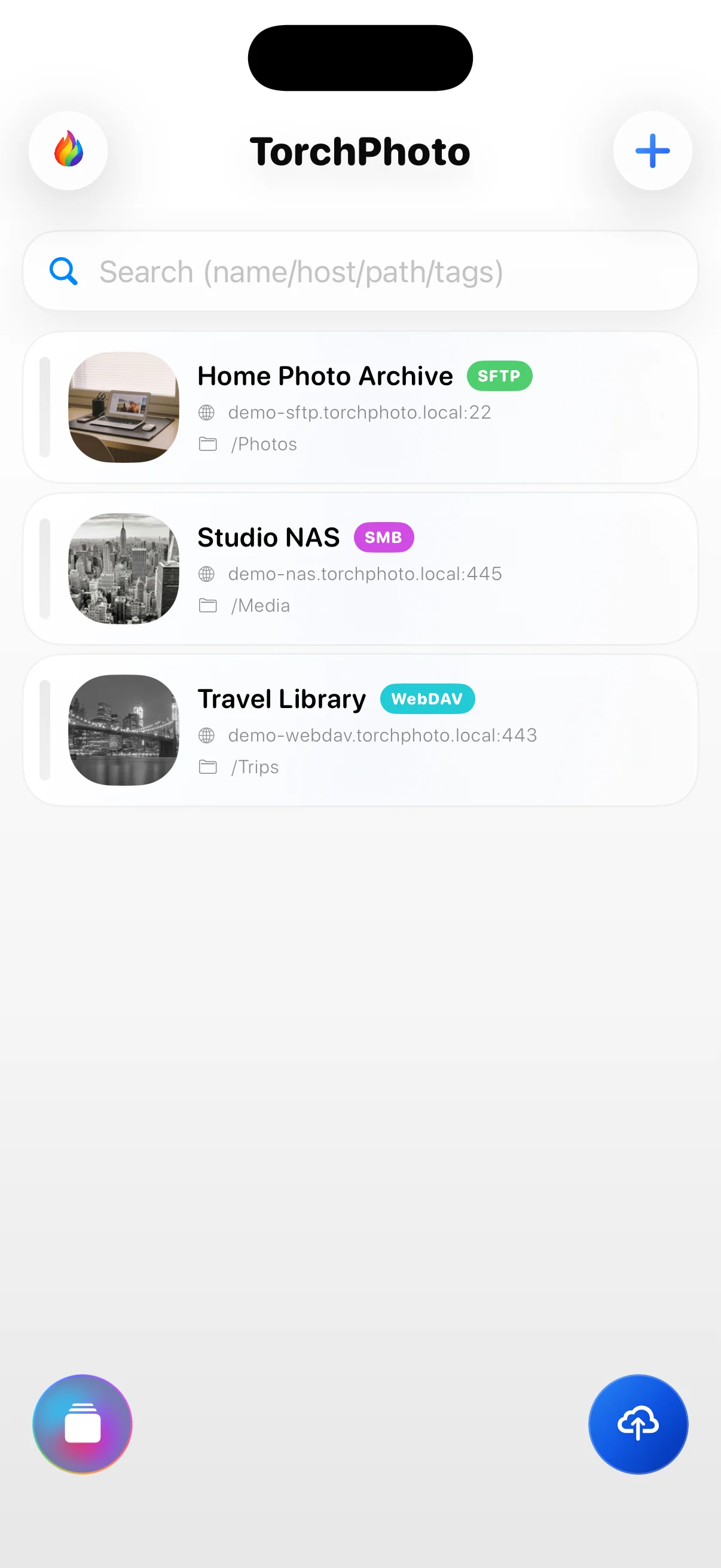
TorchPhoto PRO

See how PRO works.

Browse every registered server, bring generated thumbnails into one timeline, automate backups, and remove the limits around larger photo and video libraries.

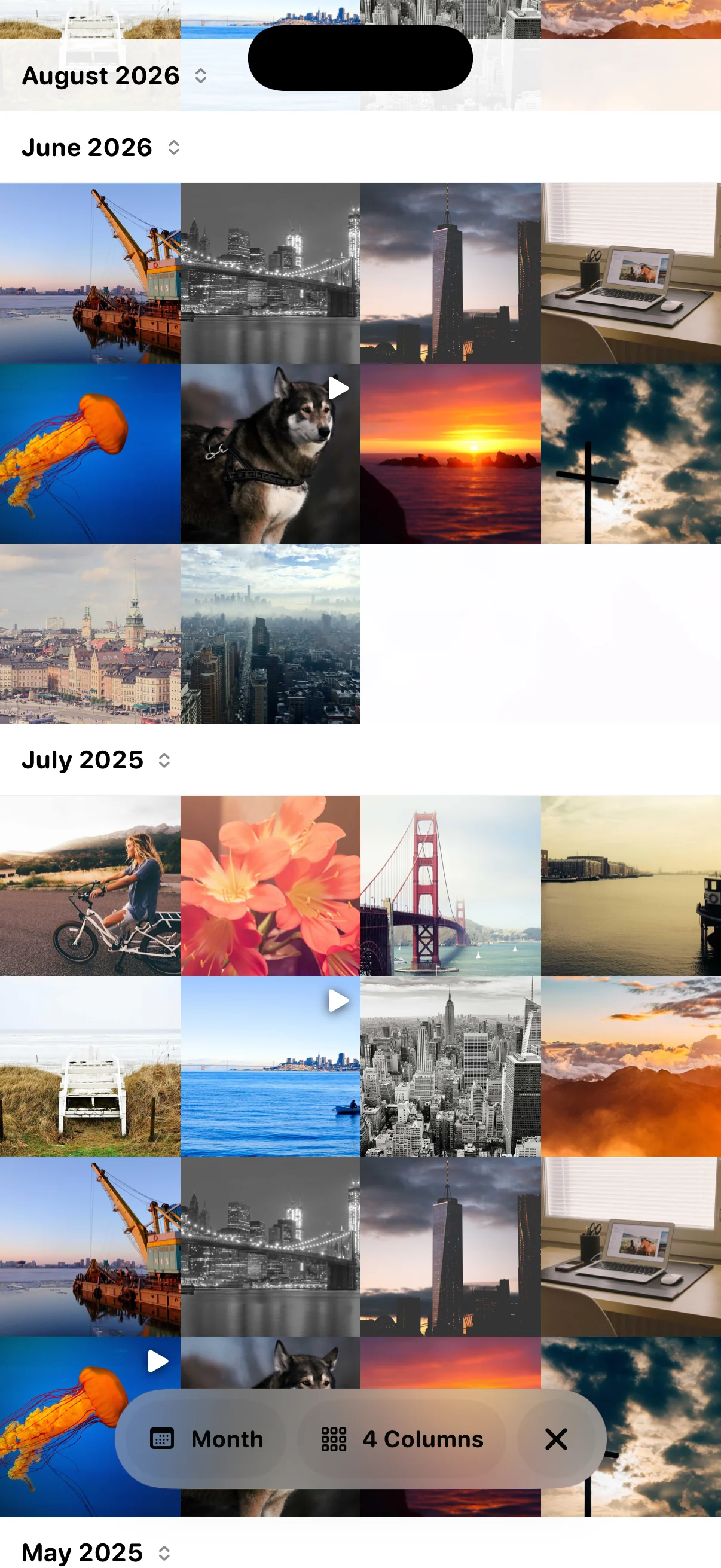
TorchPhoto Timeline Viewer combining thumbnails from registered servers
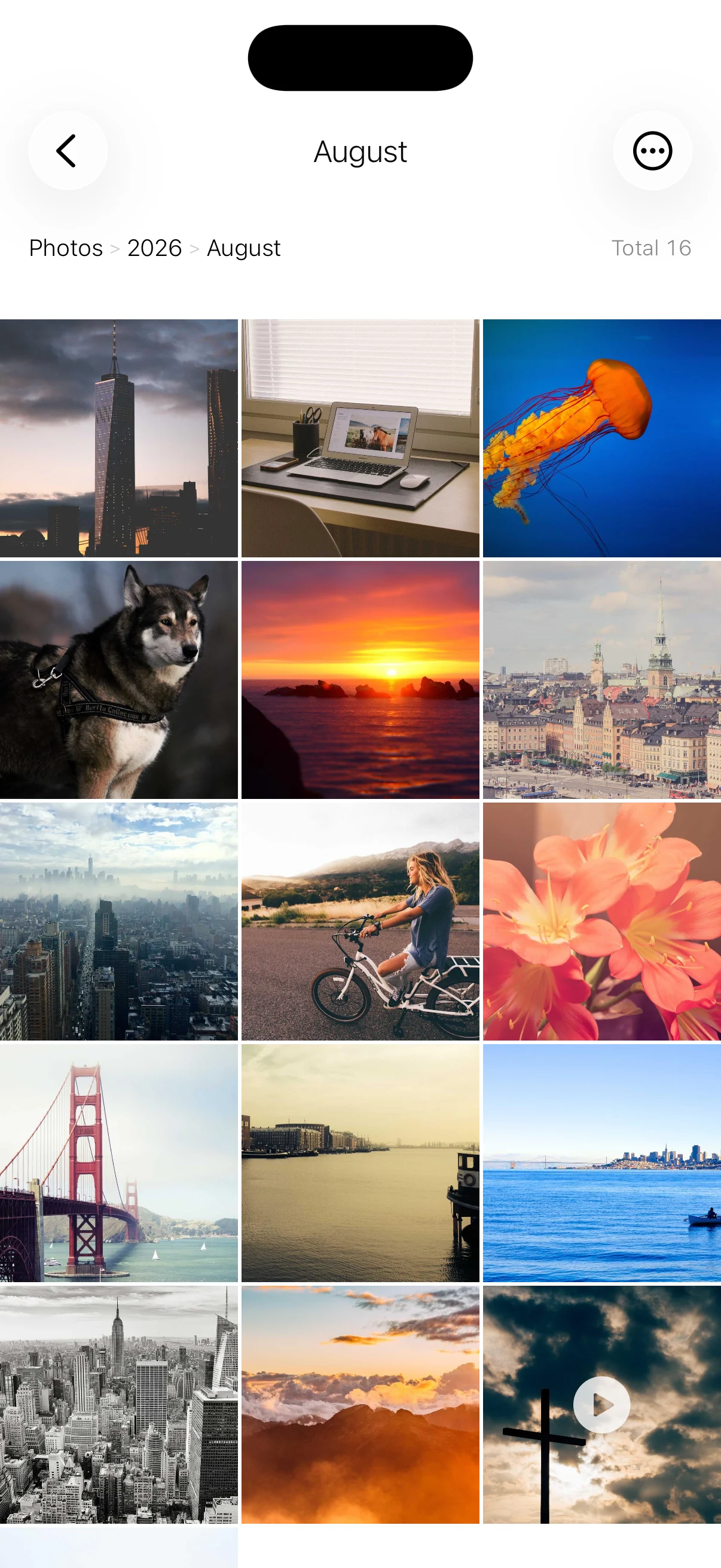
Actual TorchPhoto app screens
PRO in the app

Ten ways PRO changes the experience.

See exactly what changes when you move from FREE to PRO.

01

Use every registered server.

With FREE, only one registered server can be used. If your media is divided between a home NAS, a work server, and an off-site archive, moving between libraries means working around that single-server limit.

PRO unlocks every registered FTP, SFTP, SMB, and WebDAV connection. Each server keeps its own protocol and path, so you can open the library you need without removing or replacing another connection. This is especially useful when photos and videos are intentionally stored across several locations.

FREEOnly one registered server can be used.
PROAll registered servers can be used without replacing a connection.

02

Automate backups with Shortcuts.

FREE backups are started manually in TorchPhoto. Repeatedly opening the app, choosing the same destination, and preparing the same kind of upload can become tedious when you follow a regular backup routine.

PRO adds TorchPhoto actions to iOS Shortcuts. Selected photos and videos can be sent to a chosen server through a shortcut and included in a personal automation under the conditions you choose. It reduces repeated setup for routines such as sending recent camera media to the same NAS destination.

FREEUploading through TorchPhoto's Shortcuts action is not available.
PROSelected items can be uploaded to a chosen server through an iOS Shortcut.
03

Browse every server in one timeline.

With FREE, you browse one server and its folders at a time. Finding media from a particular month can mean opening several directory trees, especially when different years are stored on different servers.

PRO's Timeline Viewer brings prepared thumbnails from all registered servers into one chronological view. Items are arranged by their original media date and can be browsed by year, month, or day without entering each folder first. When an item is opened, TorchPhoto still uses that file's original server and protocol, so separate FTP, SMB, SFTP, and WebDAV libraries feel like one visual collection.

FREEMedia is browsed through each server's folders separately.
PROPrepared thumbnails from registered servers appear together in one date-based timeline.
04

Keep more thumbnails on the device.

FREE keeps the thumbnail cache within 100 MB. That is enough to try the visual browsing workflow, but a large photo library can quickly exceed it, leaving only a limited portion of prepared thumbnails available on the device.

PRO removes TorchPhoto's app-level thumbnail cache limit. A much larger set of thumbnails can remain ready, which reduces repeated loading and makes offline browsing more useful when a server cannot be reached. The real boundary is the storage available on your device, and the cache can still be managed or deleted from TorchPhoto when needed.

FREEThumbnail cache is limited to 100 MB.
PROTorchPhoto applies no app-level cache limit; available device storage is the boundary.
05

Generate thumbnails across a server path.

FREE generates thumbnails from the folder currently being viewed. On a server with many years, albums, and nested folders, preparing the whole library means entering folders and starting the same task repeatedly.

PRO can start one server-wide generation job from the registered path. TorchPhoto scans supported media below that path and processes the directory tree without requiring you to visit every folder. This turns a deep NAS library from many small manual jobs into one managed operation with visible progress.

FREEThumbnail generation is started for the folder currently open.
PROOne job can scan and generate thumbnails below the registered server path.
06

Show matching photo and video files as one item.

Live Photos and some camera workflows store one moment as a photo file plus a matching video file. FREE shows those files separately, so the same scene can appear twice and make a directory feel unnecessarily crowded.

PRO pairs matching photo and video files into one gallery item. The directory becomes easier to scan while both original files remain unchanged on the server. You keep the complete source media without having to browse a duplicate-looking pair every time.

FREEMatching photo and video files appear as separate items.
PROMatching files can appear as one gallery item while both originals remain unchanged.
07

Create thumbnails for larger video files.

FREE automatically skips video thumbnail generation for files larger than 50 MB. This limits processing during evaluation, but longer or higher-quality videos may remain as generic file icons and become difficult to recognize at a glance.

PRO removes the automatic 50 MB cutoff. Larger videos can receive visual thumbnails too, making mixed photo and video folders much easier to browse. If you want to control network traffic or processing time, you can still choose your own video skip limit instead of being locked to the FREE limit.

FREEAutomatic video thumbnail generation skips files larger than 50 MB.
PROLarger videos can receive thumbnails, with an optional custom skip limit.
08

Run slideshows without the trial limit.

FREE lets you try slideshow playback with up to 10 prepared photos. It demonstrates how a server album can be played, but it stops before a larger album or long-running display can continue.

PRO removes the 10-photo trial limit. The slideshow can continue through all available prepared photos, making it suitable for viewing a complete trip, family archive, portfolio, or a screen that stays on display without restarting after every short preview.

FREESlideshow playback is available as a 10-photo trial.
PROAll available prepared photos can continue playing without the trial-count limit.
09

Upload larger selections in one run.

FREE uploads up to 50 selected items in each run. Backing up a large camera roll therefore requires several batches, repeated selections, and extra checking to make sure nothing was skipped.

PRO removes TorchPhoto's item-count limit for an upload run. A larger selection of photos, videos, RAW files, bursts, screenshots, and Live Photo components can be sent together. Network speed, server capacity, and device conditions still affect the job, but TorchPhoto no longer forces the selection into artificial 50-item batches.

FREEUp to 50 selected items can be uploaded in each run.
PROTorchPhoto applies no item-count limit to the selection for one upload run.
10

Use additional PRO convenience features.

FREE includes TorchPhoto's core browsing and transfer experience, but smaller workflow improvements reserved for PRO are not available. Those missing conveniences can add repeated taps when you use the same servers and actions every day.

PRO includes additional time-saving features such as Quick Start. It also provides access to future convenience features released for PRO, so improvements designed to make repeated photo workflows faster and easier are available without changing plans again.

FREEPRO-only convenience features are not available.
PROQuick Start and future convenience features released for PRO can be used.

Choose how you want PRO.

Purchase directly in TorchPhoto.

Subscription

Monthly plan

$1.49 / month

Billed monthly through your App Store account. Continue PRO access while the subscription remains active.

One-time purchase

Lifetime plan

$19.99

Pay once through your App Store account and keep PRO access without a recurring subscription.

Prices shown above are in USD. Your current price is shown in local currency in the app before purchase, and may vary by storefront, currency, or applicable tax.